Getting Started
Welcome to I Think It’s You — a charming second chance for missed connections. This page walks you through the very first steps: opening the site, setting your language and theme, and finding your way around the home page.
What is I Think It’s You?
A place to publish a small wanted poster (Steckbrief) about someone you crossed paths with.
Not a dating app, not a swipe deck — there are no profiles to rank and no algorithm to please. Just real moments from real life.
Strongly anchored in Austria and the Crime Club universe, but open to anyone who has ever thought “Damn, I should have said something.”
Connected by the secret signal :|: — a quiet “I think it’s you” in the rhythm ding – ding – dong – ding – ding.
Key features at a glance
Wanted Posters — describe a sighting with a sighting type (Missed Connection, Get to Know, Look Familiar, Give Thanks, Network & Encounter, Miscellaneous) and an optional Reward for Finding Me.
Tags — general, location and date/time tags help the right person find your post.
Comments — chat publicly under a post.
Direct messages — talk privately, one to one.
Notifications — be told when someone reacts to your post or writes you.
Profile — manage your picture, your account and see your activity.
Light / dark theme and English / German language — switch any time from the header.
Moderation — community rules, reporting, restore. (Some functions are reserved for moderators and admins.)
Opening the platform
Open the I Think It’s You URL in any modern browser (Chrome, Firefox, Edge, Safari, Opera). The home page lists the latest wanted posters in a timeline. You can browse without an account, but you’ll need to be signed in to write, comment or message.
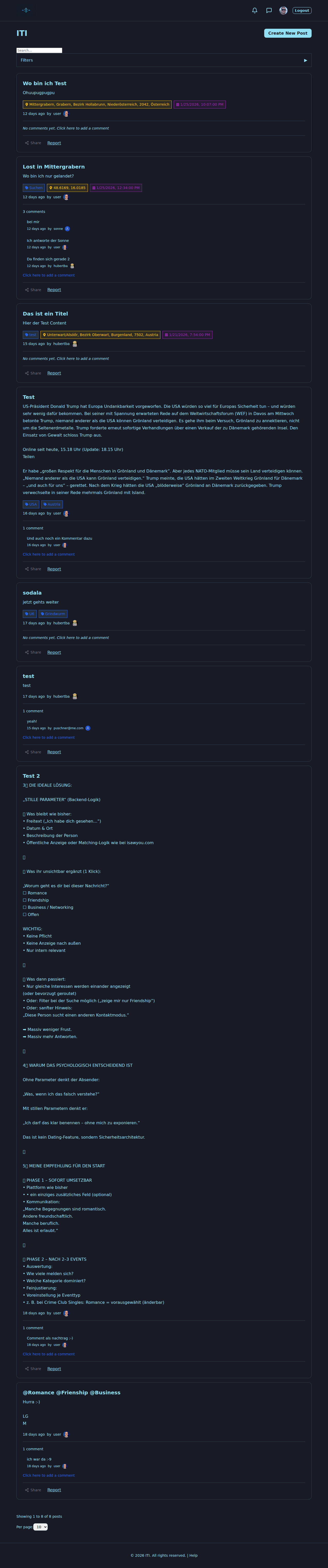
The header
The header carries the I Think It’s You logo and the main navigation. From left to right you can usually expect:
Home / logo — back to the timeline.
Browse Wanted Posters — open the search window with filters.
Create Wanted Poster — start a new post (sign-in required).
Theme toggle — switch between light and dark mode.
Language toggle — switch between English and German.
Notifications bell and chat icon with unread badges (signed-in users).
User menu — Profile, Messages, Sign out.
If you are a MODERATOR or ADMIN, you’ll also see the moderation links — see Moderation.
Your first steps
Pick your language and theme in the header so the rest of the experience matches your taste.
Browse the timeline. Scroll, tap a card, read the full wanted poster. Notice the date strip and the timeline rail.
Sign in or register when you want to interact — see Account, Sign-in and Settings.
Write your first wanted poster — see Wanted Posters (Steckbriefe).
Engage: comment, message, send the secret signal :|: in real life.
Browser requirements
JavaScript must be enabled.
Cookies are needed to keep you signed in.
HTML5 features (geolocation, modern CSS) are used for the location picker, map view and timeline.
For the smoothest experience, use the latest version of your preferred browser.
What’s next?
Account, Sign-in and Settings — create an account, sign in, manage your password.
Wanted Posters (Steckbriefe) — write a great wanted poster.
Tags and search filters — be found by the right people.
Direct Messages — talk privately one on one.
FAQ and Troubleshooting — quick answers when something feels off.