Direct Messages
I Think It’s You has a direct messaging feature for private, one-on-one conversations. This page explains how to start conversations, send and read messages, and manage your threads.
What are direct messages?
Private one-to-one threads with other registered users.
Conversation list — every conversation you have, in one place, with an unread count.
Real-time feel — send a message, see the reply in the same thread.
Unread badge — the chat icon in the header tells you how many unread messages you have.
Note
You must be signed in to use messaging. The Messages link and chat icon appear in the header once you are.
Opening Messages
Sign in.
Click the Messages link or chat icon in the header.
Or open
/messagesdirectly.
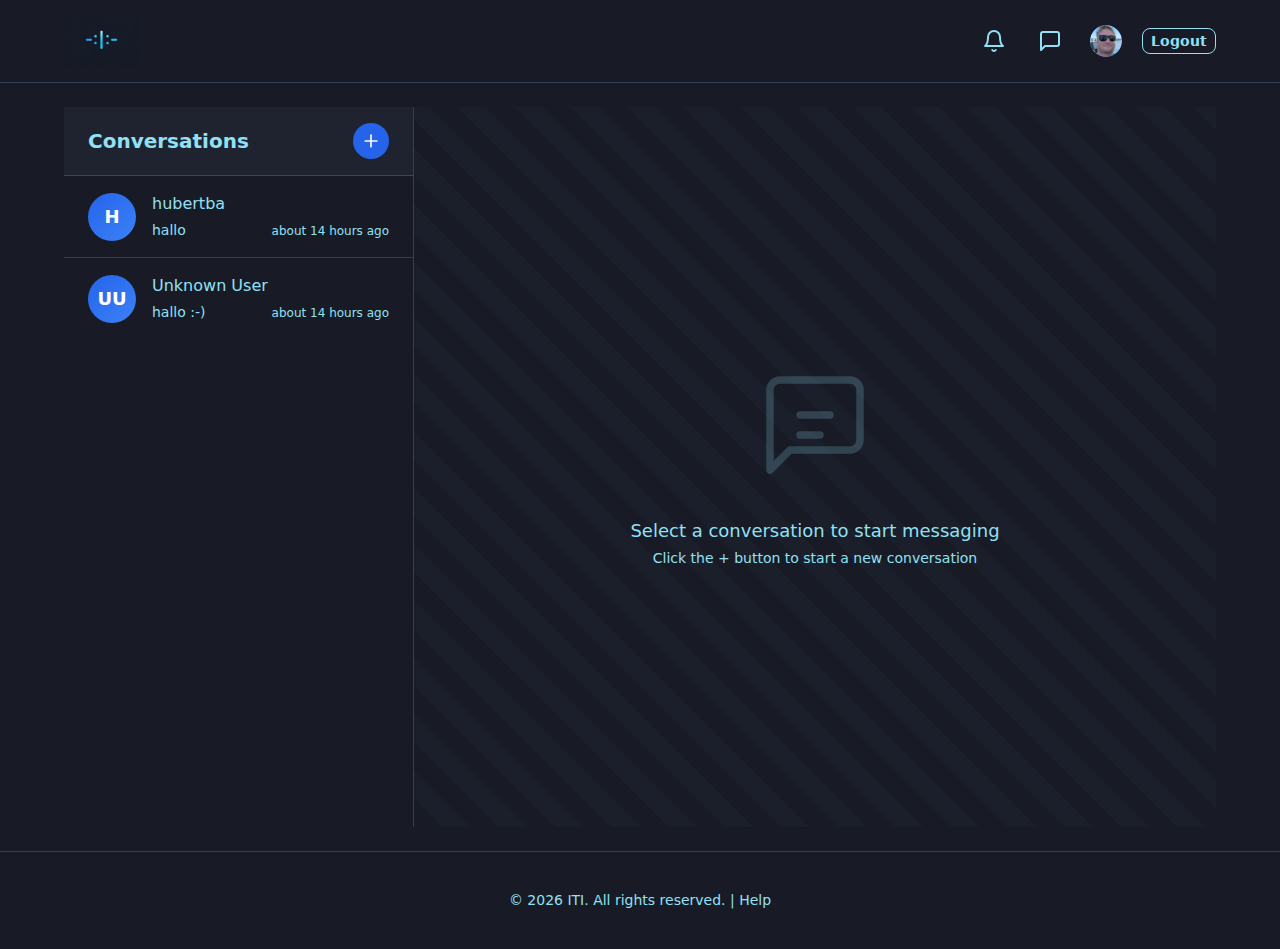
Layout of the Messages page
Left sidebar — Conversations
List of all your message threads (one per person you’ve talked to).
Unread badge — number of conversations with unread messages.
New conversation — start a new thread.
Each row shows the other user’s name and usually a preview of the latest message.
Right side — Thread view
With a thread selected: the other user’s name on top and the messages below.
With nothing selected: an empty state inviting you to pick a conversation or start a new one.
Message input (when a thread is selected): type and send.
Starting a new conversation
In the sidebar, click New conversation.
Search for the person by username.
Select the person to open a fresh thread.
Type your first message and send.
Sending and reading
Send — type into the input at the bottom and press Enter or click Send.
Read — new messages appear in the thread; opening a thread usually marks them as read.
Scroll — long threads can be scrolled up; some views offer “Load older messages”.
Deleting a conversation
In the conversation list, find the right thread.
Click Delete (or the trash icon).
Confirm.
The thread disappears from your list.
Note
Deletion removes the thread from your view. What the other side sees depends on the feature; in doubt, don’t put anything in a message you wouldn’t want coming back to you.
Unread count
The chat icon in the header carries a badge with the number of unread messages (or unread threads).
Opening a thread typically marks the messages inside as read and updates the count.
The sidebar shows which conversations have unread messages.
Privacy
Direct messages are private: only you and the other person see them.
Don’t share other people’s messages without permission.
Identifying data and harassment count as community-rules violations even in direct messages.
If someone harasses you: report through the Contact page on the website or via the Report action on a related post.
Best practices
Stay respectful. No questions that put pressure on the other side.
Be specific. A short hint that proves you also remember the moment (date, place, a small detail) goes a long way.
Be realistic. Not every message gets a reply — and that is okay.
Trouble
I don’t see the Messages link
Make sure you’re signed in.
Refresh the page; if it still doesn’t appear the feature may be disabled in your instance.
I can’t start a new conversation
Double-check the username.
If the search finds nobody, the person may have restricted who can message them — or they don’t have an account under that name.
Messages don’t load or send
Check your connection.
Refresh the page and try again.
Try another browser or device if the problem persists.
What’s next?
Account, Sign-in and Settings — for sign-in.
Your Profile — for profiles and finding people.
Notifications — for new-message alerts.